


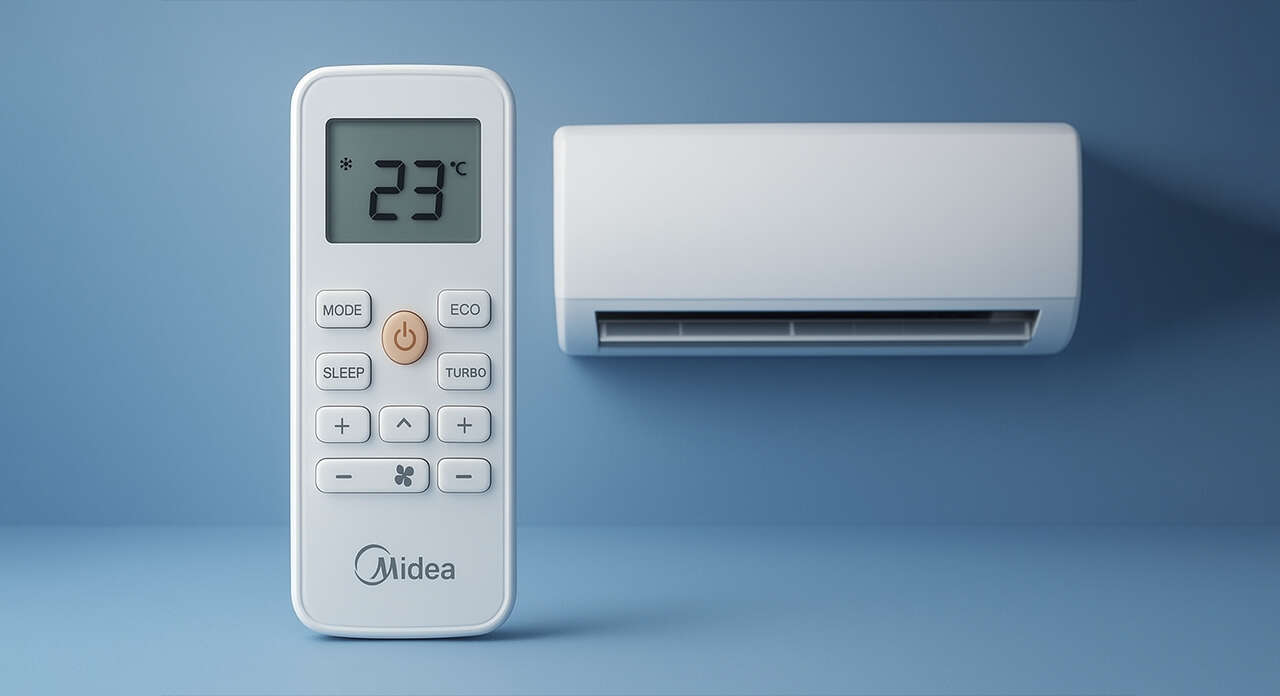
f you’ve ever held a split air conditioner remote control and felt like you were piloting an airplane, you’re not alone. Split AC remotes are full of buttons, each with a specific function. In this article, we explain all split system control modes in a simple and practical way, so you know exactly what each option does.
Cooling Mode (Cool)
This is the mode most people expect from an air conditioner: cooling the space.
In this mode, both the compressor and the indoor fan operate to lower the room temperature.
Typically, the temperature can be set between 16°C and 30°C.
Heating Mode (Heat)
This mode is available in cooling-and-heating split systems.
The compressor continues to operate, but the refrigerant flow direction is changed by a four-way valve, allowing warm air to be discharged from the indoor unit.
Dry Mode (Dehumidification)
This mode is a lifesaver in humid climates.
The air conditioner turns on and off intermittently to reduce air humidity without significantly lowering the temperature.
Fan Mode
In this mode, only the indoor fan operates, and the compressor remains off.
The air circulates within the room, but the temperature does not change noticeably.
Auto Mode
The system automatically selects the best operating mode (cooling or heating) to maintain the set temperature.
Fan Speed Control
Most remotes offer three or four fan speed settings:
- Low
- Medium
- High
- Auto
Higher fan speeds result in faster air circulation.
Swing (Louver Oscillation)
The louvers of the indoor unit can move up and down (and sometimes left and right) to distribute air evenly throughout the room.
Sleep Mode
Designed for nighttime use.
The air conditioner gradually adjusts the temperature to reduce energy consumption while providing a more comfortable sleeping environment.
Timer
- On Timer: Turns the air conditioner on after a preset time.
- Off Timer: Turns the air conditioner off after a preset time.
Temperature Control
Using the ▲ and ▼ buttons, you can adjust the temperature within the range of 16°C to 30°C.
This feature is active in all modes except Fan Mode.
Quiet / Silence Mode
In this mode, fan and compressor noise are minimized.
It is ideal for users who are sensitive to continuous operating noise.
Turbo / Jet Mode
When you need to cool or heat a room as quickly as possible, this is the best option.
Both the compressor and the fan operate at maximum capacity.
I Feel / Follow Me Mode
Some remotes include a temperature sensor inside the controller itself.
Instead of measuring temperature at the indoor unit, the system reads the temperature around the remote, providing more accurate comfort where you are located.
Other Special Features (Available on Some Models)
- Lock (Child Lock): Disables the buttons on the remote control.
- Energy Saver: Turns off the fan after reaching the desired temperature to reduce energy consumption.
- Clean / Auto Clean: Activates the self-cleaning function of the indoor unit.
- LED Display On/Off: Turns the indoor unit display light on or off.


